
Become a Professional Video Editor in 2 Months
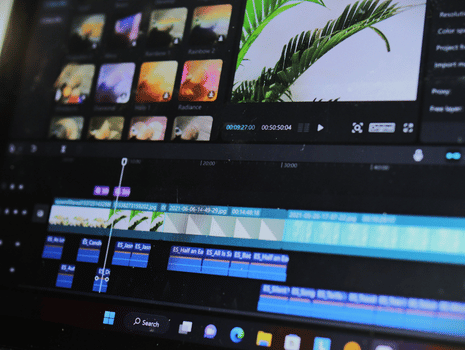
Become a Professional Video Editor in 2 Months

Ghulam Mustafa
Course Overview
Course Overview
The Video Editing Course at Digital Estate Academy is a comprehensive training program designed to teach students how to edit videos for social media, YouTube, marketing, and commercial projects. This course covers video editing fundamentals, visual effects basics, audio editing, and export techniques.
It is ideal for beginners, content creators, freelancers, and marketers who want to build a career in video production and editing.
Course Outline
Video Editing Fundamentals
- Introduction to Video Editing and Post-Production
- Video Formats, Codecs, and Resolutions
- Editing Workflow and File Management
- Storytelling and Video Structure
Editing Software Basics
- Overview of Video Editing Software (Adobe Premiere Pro / CapCut / DaVinci Resolve)
- Interface and Tools
- Importing and Organizing Media
- Timeline Editing Basics
Cutting and Transitions
- Basic and Advanced Cuts
- Transitions and Effects
- Speed Control and Motion Effects
- Video Trimming and Sequencing
Text, Graphics, and Motion Basics
- Titles and Lower Thirds
- Subtitles and Captions
- Basic Motion Graphics
- Branding and Visual Identity in Videos
Audio Editing
- Audio Enhancement and Noise Reduction
- Background Music and Sound Effects
- Voiceover Editing
- Audio Sync and Mixing
Color Correction and Grading
- Color Correction Basics
- Color Grading Styles
- LUTs and Visual Enhancement
- Professional Look Techniques
Exporting and Publishing
- Export Settings for Social Media and YouTube
- Video Compression and Optimization
- Platform-Specific Video Requirements
- File Delivery for Clients
Practical Projects and Portfolio
- Social Media Video Project
- YouTube Video Editing Project
- Marketing Video Project
- Final Portfolio Presentation
Freelancing and Professional Development
- Building a Video Editing Portfolio
- Freelancing Platforms Overview
- Client Communication and Pricing
- Real-World Editing Case Studies
Key Benefits
- Industry-relevant video editing curriculum
- Practical, project-based learning
- Live instructor-led online classes
- Beginner-friendly training
- Certificate upon successful completion
- Affordable course fee
Learning Outcomes
After completing this video editing course, students will be able to:
- Edit professional-quality videos
- Add transitions, text, and effects
- Improve video and audio quality
- Apply color correction and grading
- Export videos for multiple platforms
- Work with clients or companies as a video editor
Career Opportunities
Graduates of this course can pursue roles such as:
- Video Editor
- Content Creator
- Social Media Video Specialist
- YouTube Video Editor
- Freelance Video Editor
- Media Production Assistant
Video editors are in high demand for digital agencies, marketing teams, YouTube channels, and freelance marketplaces worldwide.
Expert-Led Training
This course is delivered by experienced video editors with practical industry experience. Students learn real-world editing workflows, creative techniques, and professional production standards.